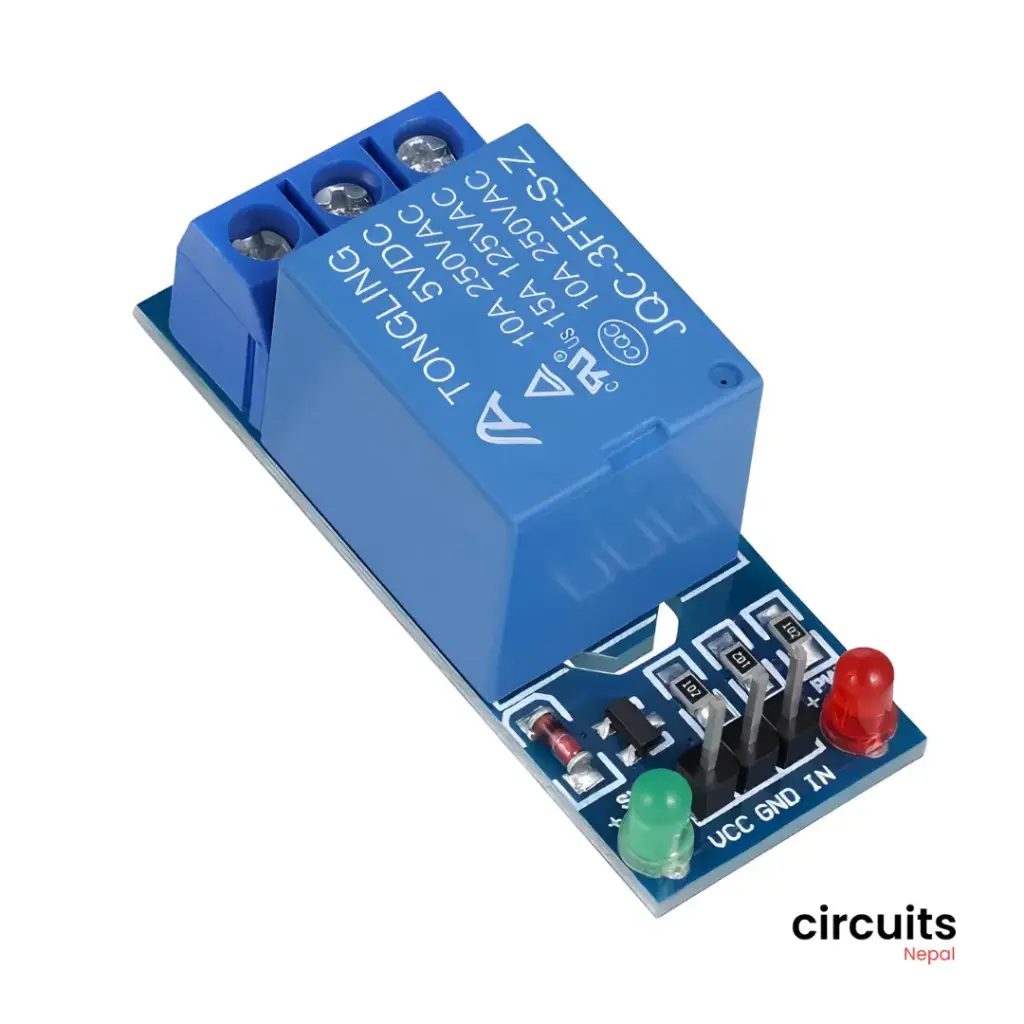
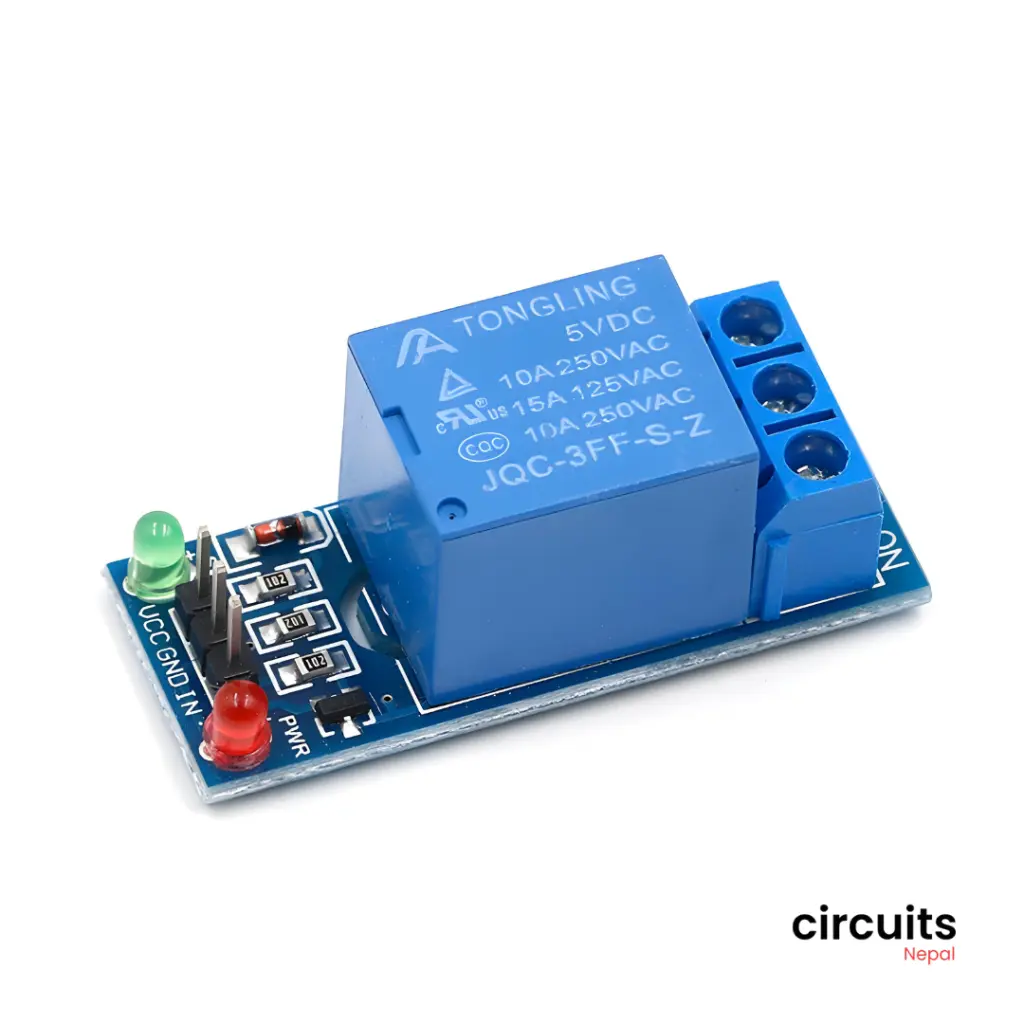
Product Description:
This 1 Channel Relay Module allows you to control a high-power device with a low-voltage signal from your microcontroller. It features optocoupler isolation to protect your microcontroller from voltage spikes and can be easily triggered by a HIGH signal on the input, making it ideal for various automation and control projects.
Product Specifications
| Specification | Value |
|---|---|
| Channels | 1 |
| Operating Voltage | 5V DC |
| Coil Current | 70mA |
| Load Voltage | 250VAC or 30VDC max |
| Load Current | 10A max |
| Contact Resistance | 100mΩ |
| Response Speed | 10ms |
| Maximum Switching Frequency | 300 operations per minute |
| Dimensions | (Approximate) 30mm x 15mm x 15mm |
| Weight | 10g (Approximate) |
Features
- Single Channel for controlling one device
- Optocoupler isolation for enhanced protection
- High switching capacity for handling high-current loads
- Low power consumption for efficient operation
- Compact and lightweight design
Applications
- Home automation (e.g., controlling lights, fans, appliances)
- Industrial control systems
- Robotics and DIY projects
- Security systems
- Experimentation and prototyping
Pinout and Usage
| Pin | Function | Connection |
|---|---|---|
| VCC | Power Supply | Connect to +5V power source |
| GND | Ground | Connect to ground |
| IN | Input | Connect to the digital output pin of your microcontroller (e.g., Arduino Digital Pin 2). A HIGH signal on this pin will trigger the relay. |
| NO | Normally Open | Connect to the load (device to be controlled) |
| NC | Normally Closed | Connect to the load when the relay is not activated |
| COM | Common | Connect to the load |
How to Use the 1 Channel Relay Module
- Wiring: Connect the module to your microcontroller and the load as per the pinout table.
- Control: To activate the relay, send a HIGH signal to the IN pin. To deactivate the relay, send a LOW signal to the IN pin.
Example (Arduino)
C++
const int relayPin = 2; // Relay IN pin connected to Arduino Digital Pin 2

void setup() {
  pinMode(relayPin, OUTPUT);
}

void loop() {
  digitalWrite(relayPin, HIGH); // Activate the relay
  delay(1000); // Wait for 1 second
  digitalWrite(relayPin, LOW); // Deactivate the relay
  delay(1000); // Wait for 1 second
}
Note:
- The specific library functions and usage will vary depending on the microcontroller and the library you are using.
- Refer to the library documentation and examples for detailed usage instructions.
Package Includes:
1x 5v Single Channel Relay Module